What Devices Support NETIPTV? The Complete Compatibility List
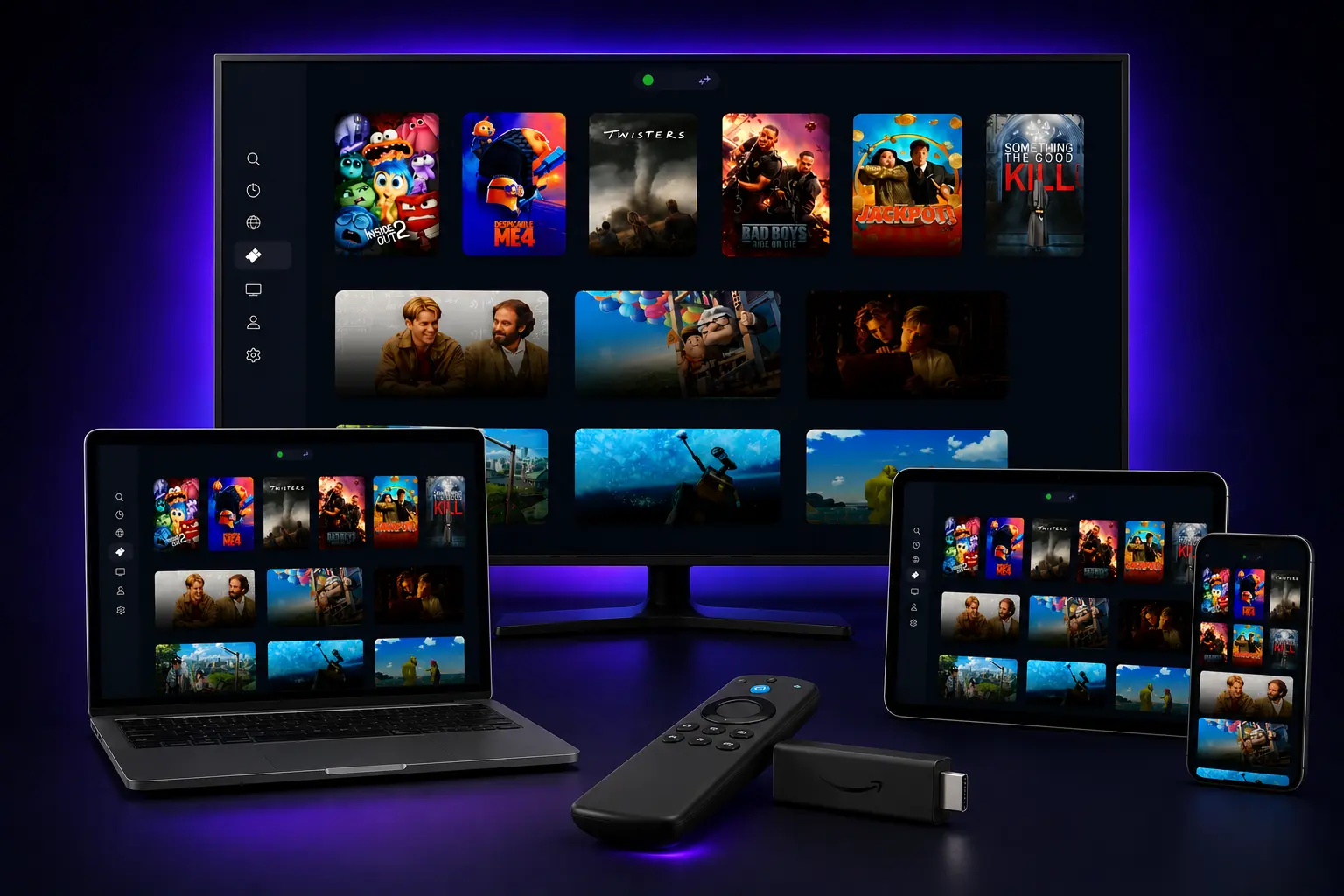
NETIPTV has established itself as one of the most popular and versatile IPTV players available today, offering seamless streaming experiences across a wide range of devices. Whether you're watching on your living room TV, bedroom streaming stick, or mobile device, NETIPTV's broad compatibility makes it accessible to millions of users worldwide.
Before you can start exploring playlists, activation processes, or streaming quality, there's one crucial first step: confirming whether NETIPTV is compatible with your specific device. This comprehensive guide will provide clear, definitive answers for every major platform and device category.
We'll cover everything from the latest Samsung and LG Smart TVs to Amazon Firesticks, Apple TV devices, and even discuss workarounds for platforms that don't offer native support. By the end of this guide, you'll know exactly whether your device can run NETIPTV and how to get it installed.
Table of Contents
The Short Answer: Major Platform Support
✓Supported Platforms
- •Samsung Smart TVs (Tizen OS): Supported natively (2016 and newer)
- •LG Smart TVs (webOS): Supported natively (webOS 3.0 and newer)
- •Amazon Firestick & Fire TV: Supported natively via Amazon Appstore
- •Android TV & Google TV: Supported natively via Google Play Store
- •Apple TV (tvOS): Supported natively via App Store
- •Mobile Devices (iOS/Android): Supported natively via official app stores
✗Not Supported
- •Roku Streaming Devices: No native app due to developer restrictions. Alternative players must be used.
Device Compatibility Reference Table
| Device Class | OS / Version | Method | Status |
|---|---|---|---|
| Samsung Smart TV | Tizen OS (2016+) | Samsung App Store | Native App |
| LG Smart TV | webOS 3.0+ | LG Content Store | Native App |
| Amazon Fire TV | FireOS 5.0+ | Amazon Appstore | Native App |
| Android TV / Box | Android 5.0+ | Google Play Store | Native App |
| Apple TV | tvOS 12.0+ | Apple App Store | Native App |
| iPhone / iPad | iOS 12.0+ | Apple App Store | Native App |
| Roku / Roku TV | Roku OS | Not Available | Unsupported |
In-Depth Guide: NETIPTV on Smart TVs (Its Primary Home)
Smart TVs represent NETIPTV's primary platform, where the app truly shines with its TV-optimized interface and remote control navigation. The two major Smart TV operating systems both offer excellent support for NETIPTV.
NETIPTV on Samsung Smart TVs (Tizen OS)
📺 Samsung Compatibility Details
- • Availability: NETIPTV is available directly from the official Samsung App Store.
- • Compatible Models: All Samsung Smart TVs running Tizen OS from 2016 onwards.
- • Installation: Search for "NETIPTV" in Samsung Apps and install directly.
- • Performance: Optimized for Tizen OS with smooth navigation and excellent video quality.
Installation Steps:
- 1. Press the Home button on your Samsung remote control.
- 2. Navigate to Apps using the directional pad.
- 3. Open the search icon and search for "NETIPTV".
- 4. Select the app and click Install.
- 5. Launch the app to find your MAC Address.
NETIPTV on LG Smart TVs (webOS)
📺 LG Compatibility Details
- • Availability: Available from the LG Content Store on all modern LG Smart TVs.
- • Compatible Models: LG Smart TVs running webOS 3.0 and newer (2016+).
- • Installation: Direct download from the Content Store.
- • Magic Remote: Fully compatible with LG's pointer and click wheel.
Installation Steps:
- 1. Press the Home/Smart button on your remote.
- 2. Launch the LG Content Store from the menu.
- 3. Select the Search bar and type "NETIPTV".
- 4. Click Install on the app page.
- 5. Open the app once installation is complete.
In-Depth Guide: NETIPTV on Android-Based Devices
The Android ecosystem offers some of the most seamless NETIPTV experiences, with official Google Play Store availability ensuring easy installation and automatic updates. From streaming sticks to mobile devices, Android's versatility makes it an ideal platform for IPTV streaming.
Amazon Firestick and Fire TV
🔥 Fire TV Compatibility
- • Availability: Available on the Amazon Appstore for all Fire TV devices.
- • Compatible Devices: Fire TV Stick Lite, Fire TV Stick 4K, Fire TV Cube, and Fire TV edition TVs.
- • Installation: Direct download from the Appstore — no sideloading or Downloader app required.
NETIPTV is fully optimized to run on low-powered streaming sticks, but for optimal 4K HDR streams, using a high-end streaming stick like the Fire TV Stick 4K Max is highly recommended.
Android TV and Google TV
📱 Google Play Store Availability
- • Availability: Official Google Play Store support across the entire Android TV and Google TV ecosystem.
- • Compatible Devices: Nvidia Shield TV, Chromecast with Google TV, Xiaomi Mi Box, Sony Bravia, and TCL TVs.
- • Updates: Installed apps will update automatically through the Google Play Store.
Android Phones and Tablets
📱 Mobile Experience
- • Availability: Download directly from the Google Play Store on all Android handsets.
- • Minimum Requirements: Android 5.0 (API level 21) or higher.
- • Casting Support: Seamless integration with Chromecast to mirror streams to your TV.
In-Depth Guide: NETIPTV on Apple Devices
Apple's ecosystem provides a premium IPTV experience with NETIPTV, offering seamless integration across iPhone, iPad, and Apple TV devices. The app is available through the official App Store on all Apple platforms.
Apple TV
📺 Apple TV Compatibility
- • Availability: Available on the tvOS App Store for all Apple TV models.
- • Compatible Models: Apple TV HD (4th Gen) and Apple TV 4K (All Generations).
- • Remote Control: Fully integrated with the Apple TV Siri Remote touch clickpad.
iPhone and iPad
📱 iOS / iPadOS Compatibility
- • Availability: App Store download for iPhones and iPads.
- • Minimum Requirements: iOS 12.0 or later.
- • AirPlay: Stream instantly to AirPlay-compatible receivers and Smart TVs.
The Big Exception: What About Roku Devices?
❌ NETIPTV is NOT Available on Roku
Unfortunately, NETIPTV is not available on the Roku Channel Store, and this situation is unlikely to change in the near future. Roku maintains extremely strict policies regarding independent IPTV applications, completely blocking sideloading or installation of custom APKs.
Best Alternatives for Roku Owners
If you have a Roku TV or streaming stick, you will need to use a different playback hardware setup to access NETIPTV. We recommend:
- • Amazon Fire TV Stick 4K: Connects to your TV's HDMI port and offers native NETIPTV support.
- • Chromecast with Google TV: Offers easy access to the Google Play Store version.
- • Your TV's native OS: If your Roku is plugged into a Samsung or LG TV, install the app on the TV's native OS instead of the Roku stick.
Frequently Asked Questions
Q: Can I use NETIPTV on my Windows PC or Mac?▼
Q: My Smart TV is old. Will it still have the NETIPTV app?▼
Q: Is the installation process the same on all devices?▼
Conclusion: Excellent Compatibility Across Major Platforms
NETIPTV demonstrates exceptional device compatibility, supporting virtually every major smart TV and streaming platform available today. Whether you're using a Samsung Smart TV, LG webOS device, Amazon Fire TV, Android TV, or Apple TV, you can enjoy the full NETIPTV experience through official app store downloads.
Ready to Get Started with NETIPTV?
Connect your devices to the best premium streaming experience today. Claim your 24-hour free trial now with instant activation and no credit card required.
Published: January 18, 2026 | Updated: January 18, 2026
By the NETIPTV Expert Team | Device Compatibility Guide